Inspect Before Powering a Moved Printer
3D Printer Repair in
Wesley Chapel, FL
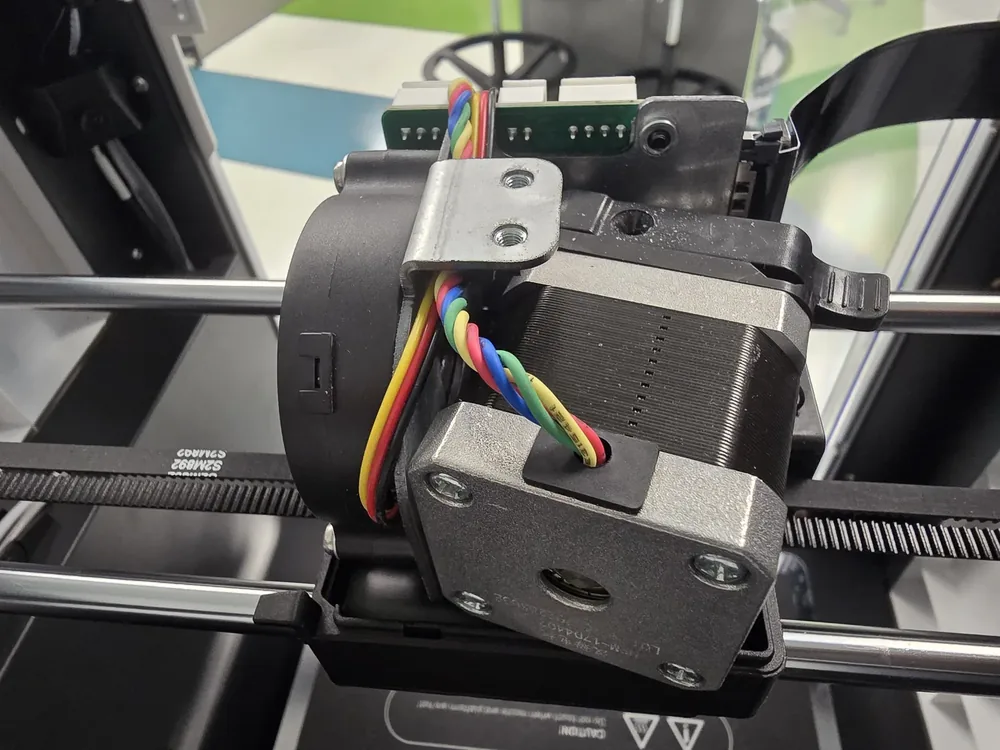
After a move, inspect a 3D printer before powering it: remove packing material, look for loose connectors or pinched wires, confirm the build plate and gantry move freely, and check that the power-supply voltage selector is correct where the model has one.
Raven Technology Solutions can handle the physical setup, frame and wiring review, calibration, test print, and connection checks for Wesley Chapel customers. Keep photos of how the machine was packed and note any impact, loose part, or error that appeared after transport.
 Call Now
3D Printer Service in Wesley Chapel
Bed Leveling and First Layers
First-layer trouble, uneven beds, Z-offset problems, and adhesion failures corrected with repeatable setup steps.
3D Printer Service Clogs and Extrusion Faults
Under-extrusion, grinding filament, partial clogs, heat creep, and hotend problems diagnosed before parts are replaced.
Fix My Printer Slicer and Firmware Help
Profiles, firmware questions, connection issues, and settings mismatches reviewed so software and hardware agree.
Tech Support New or Moved Printer Setup
Assembly checks, frame squaring, wiring review, first calibration, and test prints for new or recently moved printers.
Setup Help Prepare for a More Useful Diagnosis
Prepare a Post-Move Inspection
Do not discard loose hardware or overwrite old calibration values until the machine has been checked.
-
Packing and Impact History
Bring photos from before and after transport and note whether the printer was laid down, dropped, shipped, or carried with the gantry unsecured.
-
Loose Components
Collect every screw, clip, cable, spool holder, plate, tool, and packing piece found near the machine in a labeled container.
-
New Location Details
Identify the outlet, voltage requirement, bench stability, nearby vents, network method, and clearance needed for full axis travel.
Moved-Printer Setup
Inspect, Reconnect, Calibrate, Test
Transport Inspection
Frame, belts, build plate, connectors, wiring, toolhead, loose parts, and packing material are checked before a test print.
Calibration Preserved
Old values are recorded before bed level, Z-offset, mesh, motion, and extrusion are re-established at the new location.
More Than the Printer
If the network or the workspace is the actual problem, we can handle that in the same appointment.
Common Questions
Wesley Chapel 3D Printer Repair FAQ
My printer is in the garage and prints badly in summer. Is that normal?
Heat, humidity, and drafts can contribute, but build-surface condition, bed level, Z-offset, and material can look similar. Record when the symptom appears and compare one unchanged test before assuming the room is the cause.
What should I check before powering a printer after a move?
Remove packing material, inspect for loose or pinched wiring, confirm axes and the build plate move without obstruction, reinstall removable parts, and verify the model's power requirements. Leave it unplugged if anything is damaged.
Do I bring the printer to you, or do you come to me?
Travel charges for on-site visits are based on driving distance from our Baker Road office and confirmed from the service address before booking: no charge within 10 driving miles, $20 from 10 to 20 driving miles, and $40 from 20 to 30 driving miles. Beyond 30 driving miles, call for availability and a quote. Drop-off by appointment has no travel charge.
Get in Touch
Contact Us
Call
727-297-9370Hours
Every day: 7:00 AM – 10:00 PM
Calls answered during all hours; on-site service scheduled afternoons and evenings on weekdays, and anytime on weekends.
Get an Estimate
Related Local Pages
On-site travel charges are based on driving distance from our Baker Road office and confirmed from the service address before booking. Drop-off by appointment has no travel charge.


