Home and Small-Business Power Protection
UPS vs. Surge Protector vs. Extension Cord: What Should You Use?
Protection, Backup Power, Safe Use, and Practical Outage Planning
A UPS, surge protector, power strip, and extension cord solve different problems. An extension cord only extends reach. A basic power strip adds outlets. A listed surge protector helps limit certain transient voltage surges. A properly selected uninterruptible power supply (UPS) adds battery backup and may also provide surge protection or voltage regulation, depending on its design.
The short answer: use a UPS for equipment that must stay on long enough to continue briefly or shut down safely, use a surge protector for suitable electronics that do not need battery runtime, and use an extension cord only as a temporary way to reach power when its rating and the connected equipment permit it. None of these devices repairs unsafe wiring or guarantees protection from every power event.
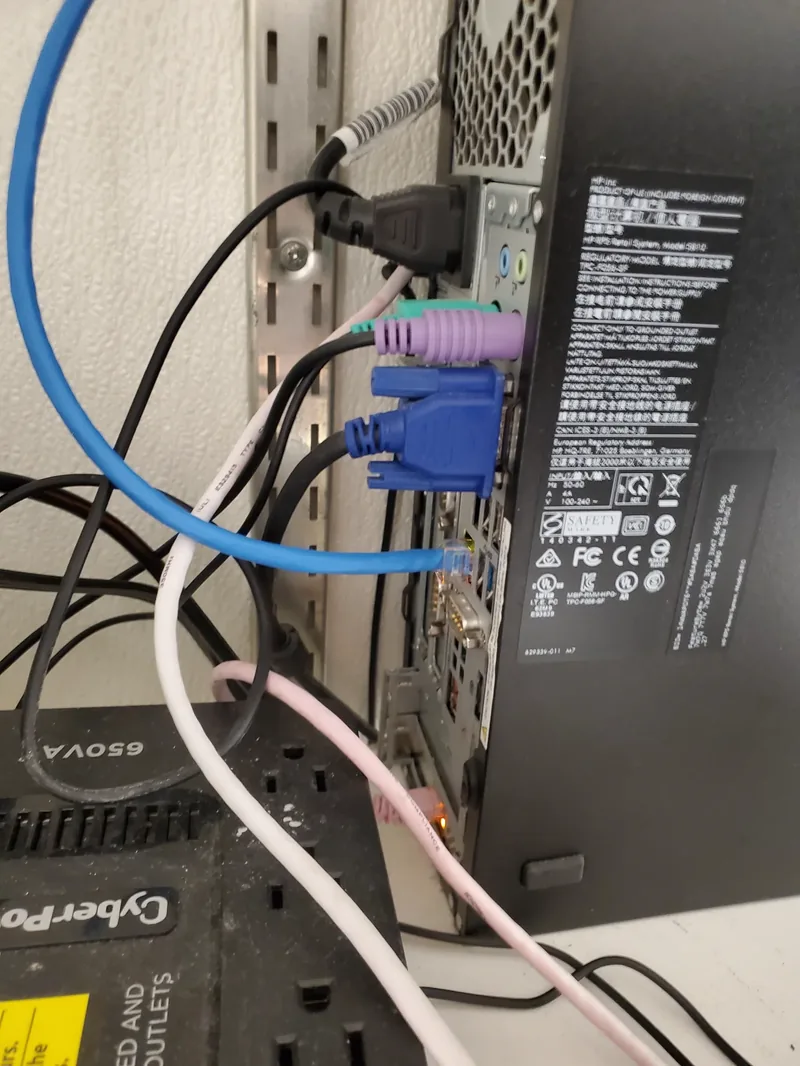
Quick Comparison
UPS vs. Surge Protector vs. Power Strip vs. Extension Cord
| Device | What it does | Best use | Important limitation |
|---|---|---|---|
| UPS | Supplies battery power during an outage; protection and voltage regulation vary by model and topology. | Computers, network equipment, NAS devices, point-of-sale systems, and other supported critical electronics. | Runtime is limited, batteries age, and watt/VA capacity, waveform, outlets, and load compatibility must be checked. |
| Surge protector | Limits certain short voltage surges by diverting or clamping excess energy. | Supported electronics that need surge protection but do not need battery backup. | Does not keep equipment running during an outage and its protective components can reach end of life. |
| Basic power strip | Adds receptacles and may include an overload breaker. | Low-power devices when the strip is properly rated and extra outlets are the only need. | A power strip is not a surge protector unless it is specifically identified and listed as one. |
| Extension cord | Temporarily extends the reach of an outlet. | Short-term use with a cord rated for the load, length, grounding needs, and indoor or outdoor location. | An extension cord is not surge protection, does not provide backup power, and should not replace permanent wiring. |
UPS Advantages and Tradeoffs
Use Battery Backup for Priority Electronics
Advantages
- Keeps supported equipment running through short outages and gives computers time to save work and shut down correctly.
- Can keep a modem, router, switch, or access point powered when the internet provider's upstream equipment is still operating.
- Many models include surge protection; line-interactive models commonly include automatic voltage regulation.
- Supported monitoring or shutdown software can respond when the battery becomes low.
Tradeoffs
- Costs more than a surge protector and requires battery testing and eventual battery or unit replacement.
- Available runtime falls as the connected load rises and can change with battery age, temperature, and condition.
- Not every outlet is necessarily battery-backed; some may be surge-only.
- High-inrush or motor-driven loads may require a different system and should never be assumed compatible.
Surge Protector Advantages and Tradeoffs
Use Surge Protection Where Runtime Is Not Needed
Advantages
- Usually costs less than a UPS and can protect multiple supported electronics from certain transient surges.
- A protection-status light can help identify when some models have lost surge protection.
- A cord-connected surge protective device should be clearly identified for that purpose and listed to the appropriate safety standard, commonly UL 1449 in the United States.
Tradeoffs
- It does not supply battery power during an outage.
- It does not necessarily correct sustained low voltage, high voltage, frequency variation, or every form of electrical noise.
- Surge components wear with use. Replace the device when its protection indicator, manufacturer instructions, damage, or service history says protection is no longer reliable.
- No plug-in protector can promise protection from every event, including a direct or extreme lightning event.
Extension Cord Advantages and Tradeoffs
Use the Right Cord Only When Necessary
An extension cord can be useful when a properly located outlet is temporarily out of reach. It is inexpensive, portable, and available in different lengths, wire gauges, grounding configurations, and indoor or outdoor ratings.
Its disadvantages matter: a cord can be overloaded, damaged, pinched, overheated, or become a trip hazard. Longer or undersized cords can have more voltage drop. It adds no battery backup or surge suppression unless a particular listed product explicitly includes that separate function. The U.S. Consumer Product Safety Commission recommends using extension cords only when necessary and choosing a cord that can handle the connected electrical load.
Power Strip or Surge Protector?
Read the Label, Not Just the Shape
A basic power strip and a surge protector can look almost identical. The extra outlets alone do not prove that surge protection is present. Look for the exact product markings, listing, electrical rating, instructions, and a functioning protection indicator when the model provides one.
The same rule applies to UPS systems: do not assume every receptacle has the same function. Confirm which outlets are battery-backed, which are surge-only, and whether data-line, coax, or network protection is present and appropriate before connecting equipment.
What “Clean Power” Really Means
UPS Power Conditioning Depends on the Design
“Clean electricity” is useful shorthand, but it is not a feature shared equally by every UPS. A standby UPS normally passes utility power through until voltage leaves its acceptable range, then transfers to battery. A line-interactive UPS can use automatic voltage regulation to correct some sustained low-voltage and high-voltage conditions without immediately draining the battery. An online or double-conversion UPS continuously rebuilds its output and can isolate supported equipment from more input-power problems, but it generally costs more and may use more energy or produce more heat.
Brownouts and other undervoltage conditions can cause instability, unexpected shutdowns, data loss, and stress in some equipment. It would be misleading to claim that brownouts cause most electronics damage. The right protection depends on the actual power problem, the sensitivity and load of the equipment, and the capabilities documented for the UPS. Eaton's overview of standby and line-interactive UPS designs provides a useful manufacturer explanation of these differences.
A Residential Example
How Peter Uses Multiple UPS Systems at Home
I use multiple UPS systems across my home for computers, televisions, game consoles, network and internet equipment, and entertainment systems. Separating these loads gives important equipment its own battery capacity instead of expecting one UPS to support everything.
During a short outage, I can keep working, save open files, or shut a desktop down safely. If my internet provider's local equipment remains online, keeping my modem, router, and other network equipment powered can preserve internet access. Other appropriately sized UPS units may let me continue watching television, using the internet, or playing a game instead of stopping immediately when the utility power drops.
This is especially useful during thunderstorms, hurricanes, and other outage-prone weather. In my setup, some lower-draw equipment can remain available much longer than a heavily loaded computer or entertainment system. Runtime is not guaranteed: it depends on each UPS, connected wattage, battery age and condition, and whether the cable or fiber provider's upstream network is still operating. A customer should use the manufacturer's runtime chart and actual load rather than assume every UPS will last for hours.
A Small-Business Example
Protect the Systems That Keep Work Moving
A small business might prioritize its modem or fiber terminal, router, firewall, network switch, one or more workstations, a NAS or small server, and point-of-sale equipment. The goal is not necessarily to run the entire office from batteries. It is to keep essential communications and transactions available through a short interruption, prevent abrupt shutdowns, and allow controlled shutdown before batteries are exhausted.
Separate critical loads from noncritical loads, document which UPS supports each device, configure graceful shutdown where supported, and test the plan. A laser printer, copier, heater, refrigerator, large motor, or other high-inrush device should not be placed on a general computer UPS unless that exact UPS and load are designed to work together. Larger servers, racks, and facilities need a measured load, growth allowance, runtime target, and qualified design rather than a consumer-size estimate.
Generator and UPS Compatibility
A Generator Is Valuable, but Output Quality Varies
A generator can support a much longer outage than a typical battery UPS, but it is not accurate to say that every generator produces “dirty” power or will damage electronics. Some inverter generators are specifically designed to provide stable output for sensitive electronics. Other generators, especially when starting, overloaded, undersized, poorly maintained, or responding to changing loads, may produce voltage, frequency, or waveform conditions that a UPS rejects.
A UPS may repeatedly transfer to battery if it considers generator input unacceptable. Compatibility depends on the generator, UPS topology, capacity, load, sensitivity settings, grounding and transfer arrangement, and both manufacturers' instructions. Schneider Electric's UPS and generator guidance describes why distorted output can be rejected, while Generac publishes an inverter-generator specification describing stable power for sensitive electronics (PDF).
Never connect a portable generator to building wiring without approved transfer equipment, and never backfeed through a receptacle. The CPSC says to operate portable generators outdoors only, at least 20 feet from homes and buildings, with exhaust directed away from windows, doors, vents, and other openings; never use one inside a home, garage, basement, crawlspace, shed, porch, or other enclosed area. Review its current hurricane-season generator and carbon-monoxide guidance, keep working carbon-monoxide alarms in the building, and follow the generator manual. Generator interconnection, transfer equipment, new circuits, outlets, grounding concerns, and panel work belong with a qualified electrician.
Safe Setup Checklist
Best Practices Before You Plug Equipment In
- Inventory the load: record every device, its running watts, possible startup demand, and whether it truly needs battery runtime.
- Check both ratings: stay within the UPS or protector's watt, VA, current, outlet, and application limits. Leave reasonable capacity for growth.
- Use the runtime chart: select a UPS using the manufacturer's runtime at your expected load, not only the VA number on the box.
- Use the right outlets: put critical supported devices on battery-backed outlets and noncritical supported devices on surge-only outlets where provided.
- Protect ventilation: keep UPS equipment dry, accessible, and ventilated, with vents unobstructed and batteries away from excessive heat.
- Plan shutdown: configure supported USB or network shutdown software and save work before the remaining runtime becomes critical.
- Follow the exact manual: many UPS and surge-protector manufacturers require direct connection to a properly grounded wall outlet. Do not add an extension cord, adapter, power strip, or second surge device unless the instructions for that exact equipment explicitly permit it.
- Do not daisy-chain: never connect power strips or extension cords together to create more reach or outlets.
- Inspect cords: do not use damaged, loose, hot, pinched, or undersized cords; do not run them beneath rugs, through doors, or where they create a trip hazard.
- Match the location: use equipment listed for its purpose and environment. Outdoor or damp-location use requires the correct cord and GFCI protection as applicable.
- Respect grounding: never remove a grounding pin. Stop and contact a qualified electrician if a UPS reports a site-wiring fault or an outlet is loose, damaged, ungrounded, warm, or discolored.
- Test and maintain: use the manufacturer's self-test process, review alarms and protection indicators, and replace batteries or devices according to condition and instructions.
Sources and Further Reading
For more detail, review the CPSC's extension-cord safety information and UL Solutions' explanation of the difference between power strips and surge protective devices. Product instructions and local electrical requirements take priority over general guidance on this page.
Additional technical references are linked beside the UPS-topology and generator claims they support, including Eaton, Schneider Electric, Generac, and CPSC materials. Sources were reviewed on August 11, 2026. A citation does not imply sponsorship or endorsement.
Need Help Choosing or Setting It Up?
Raven Can Help Plan Practical Power Protection
Raven Technology Solutions can inventory supported electronics, separate critical from noncritical loads, help compare UPS and surge-protector specifications, source suitable equipment, organize accessible power and data cables, connect supported devices, configure available monitoring or graceful-shutdown features, and test battery transfer. Residential and small-business recommendations are based on the actual equipment, location, runtime goal, and budget.
This technology service does not include electrical panel work, new circuits or outlets, generator interconnection, transfer switches, or correction of unsafe building wiring. Those items require a qualified electrician and a separate scope. No plug-in device makes unsafe wiring safe.
Cable Management and Desk Setup | Network Management | Server and NAS Installation
 Ask About Power Protection
Written by Peter Maz, Raven Technology Solutions. Published and last updated 2026-08-14.


